How large should an image be for your website?
26 October 2022We often get questions about how large an image should be for a website, so the site doesn't become too slow and the image doesn't look pixelated.
How many pixels, MBs, DPIs are ideal? And is a .JPG or .PNG better?
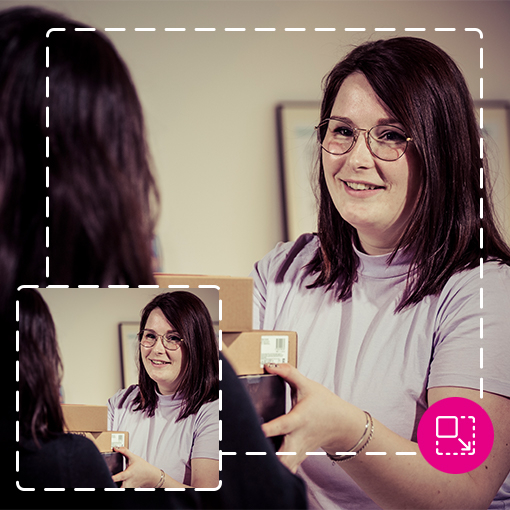
The ideal photo size for a website
Photos speak louder than words and add experience to a website. By placing relevant photos, the story becomes clearer and the page reads more pleasantly. File size of photos on the website should be kept as small as possible so it doesn't affect page load time, but of course you want good quality for the best viewing experience, both on mobile and desktop or laptop.
Which device is most used to visit the website?
Website statistics show which screen visitors use most. This is your standard screen. Then look at the screen resolution in pixels.
What is a pixel?
Image dimensions are measured in pixels.
Everything visible on a screen is made up of pixels. A pixel is one colored dot on a screen. An image consists of a combination of multiple pixels. The number of pixels determines the screen resolution. The higher the pixel density, the sharper the image.
Example: The line below is 100 pixels wide and 5 pixels high:
Image file size
File size is measured in KBs or MBs.
You want to keep the file size as small as possible on the website, but with the best quality. You optimize images for large monitors, and if the website is well built, the browser will adjust the photos to the resolution of smaller screens.
Browser enlarging images doesn't look good
If photos are smaller than the screen, the browser can no longer enlarge them and the image may become pixelated and blurry.
Example: A header image is a photo at the top of the website. For full screen width, on a 1920 pixel screen, the photo should also be 1920 pixels wide. If the photo is smaller, say 1600 pixels, the browser will display it at 120% resolution and it will become blurry.
Photos are often way too large
File size of photos for a website should not exceed 500kB!
A photo taken on your phone can easily be 2MB or more. You'll need to resize it or ask the photographer to deliver the image in the correct pixel format. If not, you often can't add the image in the website CMS and/or the page will load slowly.
How to check image file size?
On your computer, right-click the image and choose [Properties]. Under [Size] you'll see how many kB/MB your image is. That's the file size.
You can reduce image dimensions without changing resolution or losing screen quality. This can be done in photo programs or online photo resizers.
It's best to resize the image to the exact number of pixels needed on the website. Some resize tools:
- https://express.adobe.com/nl-NL/tools/image-resize
- https://www.iloveimg.com/
- https://imagecompressor.com/nl/
DPI – Dots Per Inch = resolution
For screens, 72DPI is sufficient for an image
DPI means Dots Per Inch. The higher the DPI, the heavier the image. For print, you need at least 300DPI.
JPG is the best choice for website images
If you receive a photo from a photographer, it may be in RAW format. The website can't read this and the file is way too large. It's best to compress the image (reduce data size) using JPG.
Transparency or lines in an image? Then PNG
If your image contains text, lines or drawings, save it as PNG to avoid quality loss and blurriness.
If the image has a transparent background, save it as PNG to retain transparency. A PNG is 4x larger than a JPG in bytes, so JPG is best for websites when possible.